Bleak PUBG Lite
Bleak PUBG Lite focuses on player ESP: boxes, skeletons, health, names, weapons, ammunition and match statistics. A nearby-enemy panel shows contacts within 200 meters. Lite excludes Aimbot, Chams, loot and vehicle ESP, radar, off-screen arrows and the spectator list.
Bleak · Cheats
License plans
- 1 days — $3.00 USD · Available
- 7 days — $15.00 USD · Available
- 30 days — $30.00 USD · Available
Product features
Visuals
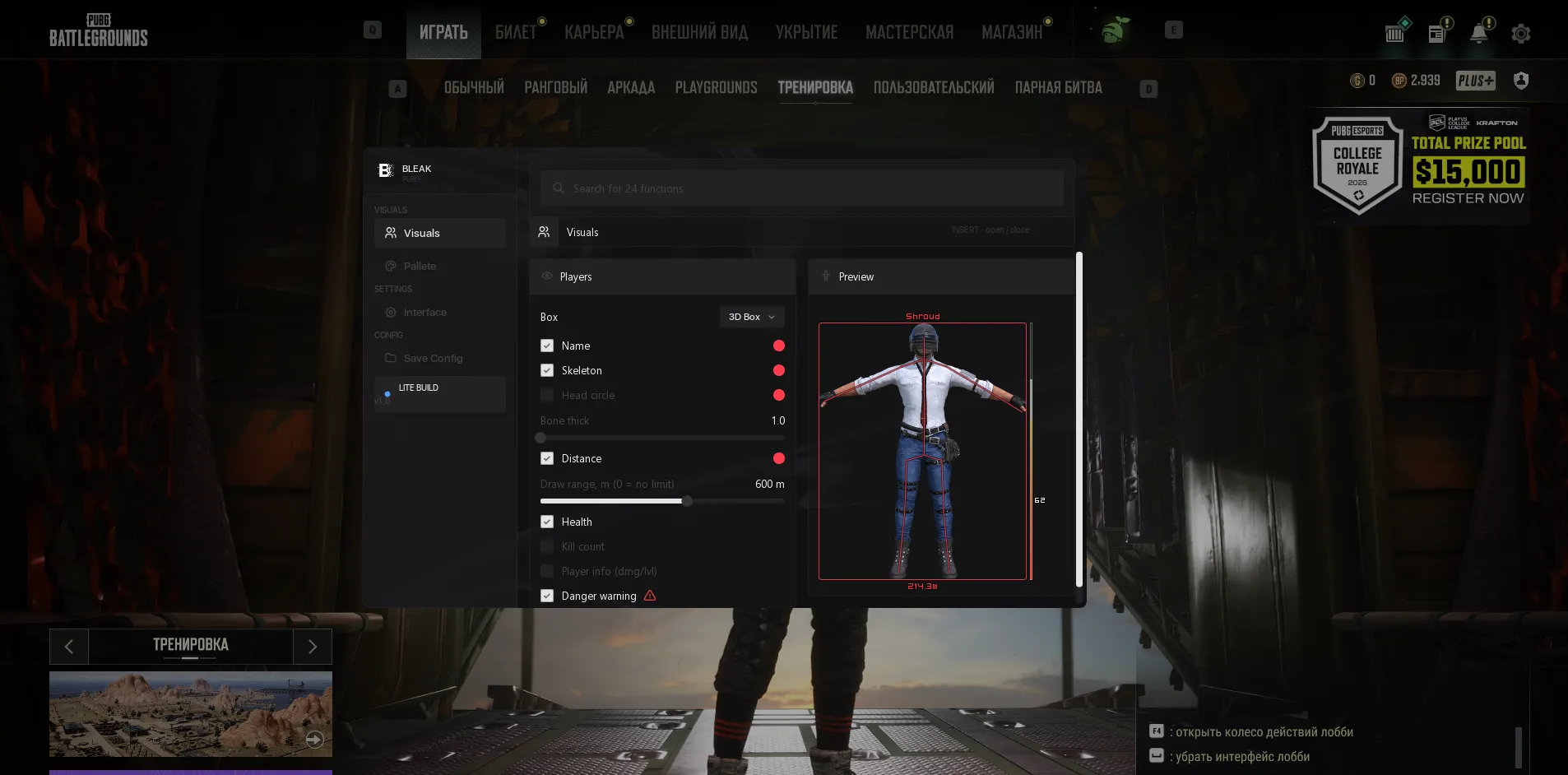
- Box Type - Select the type of box displayed around the target: Full, Corner, 3D Box or None.
- Names - Displays player nicknames above players' heads.
- Skeleton - Enables display of the enemy's skeleton. Self-calibrating: after game updates the leg bones are re-matched automatically, no waiting for a fix.
- Head circle - A compact head marker (a volumetric "hat" cone) instead of the full skeleton - minimal visual noise.
- Bone Thick - Slider for adjusting the thickness of the skeleton lines (1-5).
- Distance - Displays the distance to the target in meters.
- Draw range - Player rendering range in meters (0-1000; 0 = no limit). Near the range border the ESP smoothly fades out and the text shrinks - the picture stays clean. More distant enemies are not rendered and do not load the reading channel.
- Health - Enables the health bar (a vertical bar to the right of the box, with a white "ghost" of the last damage dealt).
- Visible Check - ESP visibility check: on - players are split into "visible / not visible" with separate colors, off - everyone is drawn in one color.
- Kills - Shows the player's kill count in the current match next to the box (K).
- Player info - Shows additional information: damage dealt (DMG) next to the box and the survival level (LV) under the nickname.
- Weapon - Weapon in hands: shows the name of the weapon the player is holding, as a line under the box.
- Ammo - Ammo in mag: shows the ammo of the held weapon next to the name, "AKM [27]". The bracket color is set by the swatch right on the toggle.
- Danger warning - Warning panel about nearby enemies: a counter of enemies within 200m and a list of the 5 closest ones (name, distance bar, K/DMG). In the Lite build the panel sits top-center.
- Knocked - Knocked-down players are highlighted with a dedicated color across all ESP elements - you instantly see who to finish off.
- Preview - Live preview of your configured ESP right in the menu (box, skeleton, name, level, distance, health bar).
Misc
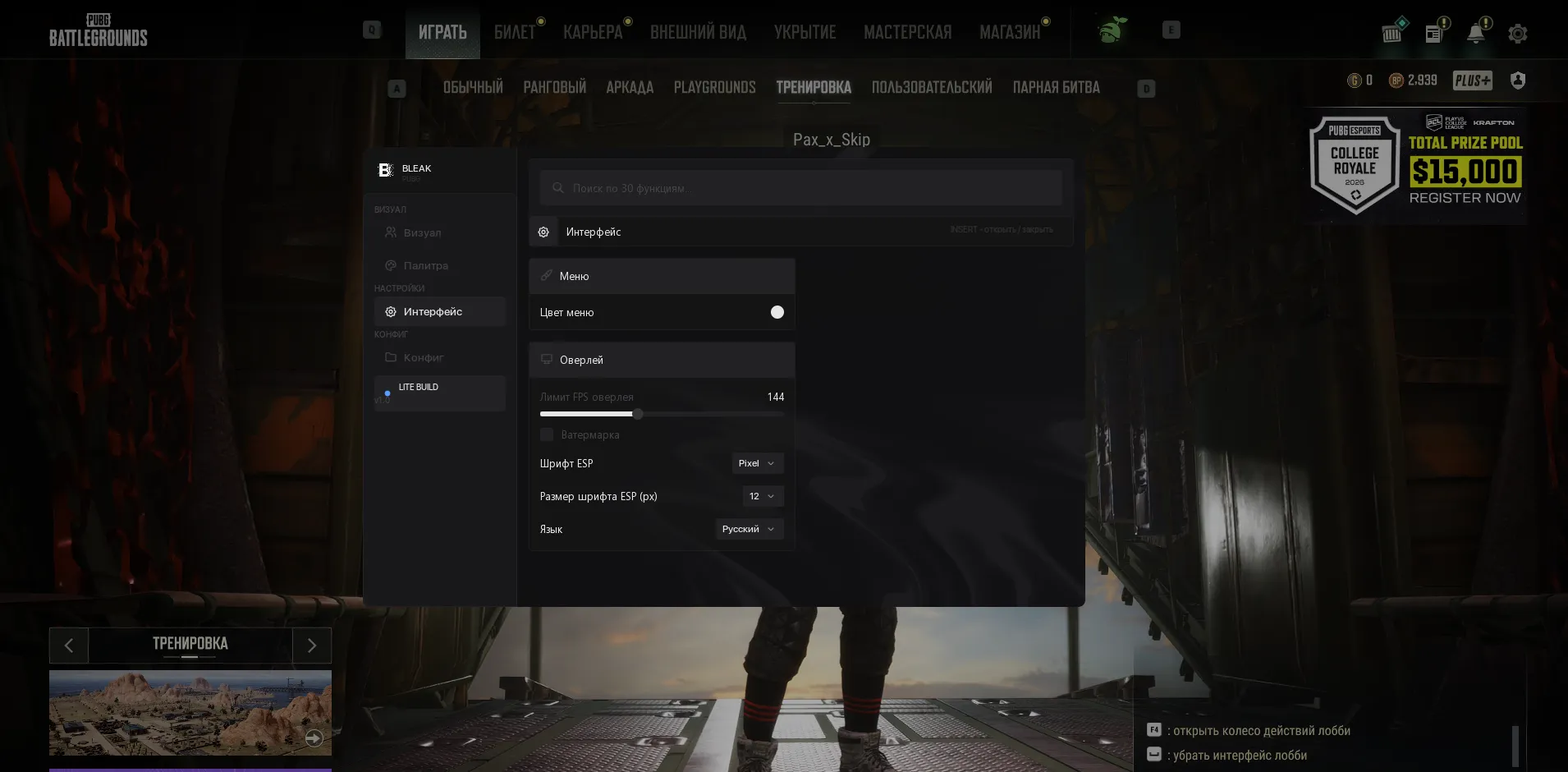
- Menu color - Menu accent (theme) color.
- Menu background animation - Animated wave background of the menu. Can be turned off - convenient for screenshots and video recording.
- Overlay FPS limit - Overlay FPS limit (0-360): raise it for smoother ESP.
- Watermark - On-screen watermark.
- ESP font - ESP text font: Pixel (default) / Minecraft / Exo2. Applied instantly, no re-injection needed.
- ESP font size - ESP font size in pixels (6-18; the range depends on the selected font).
- Language - Menu language: English / Russian (all menu items and item names are translated).
- Auto-exit - When the game (TslGame.exe) closes, the software shuts down completely along with it: the overlay disappears and the Discord process closes.
- Search - Search bar across all menu functions (in the header).
- INSERT - Open / close the menu.
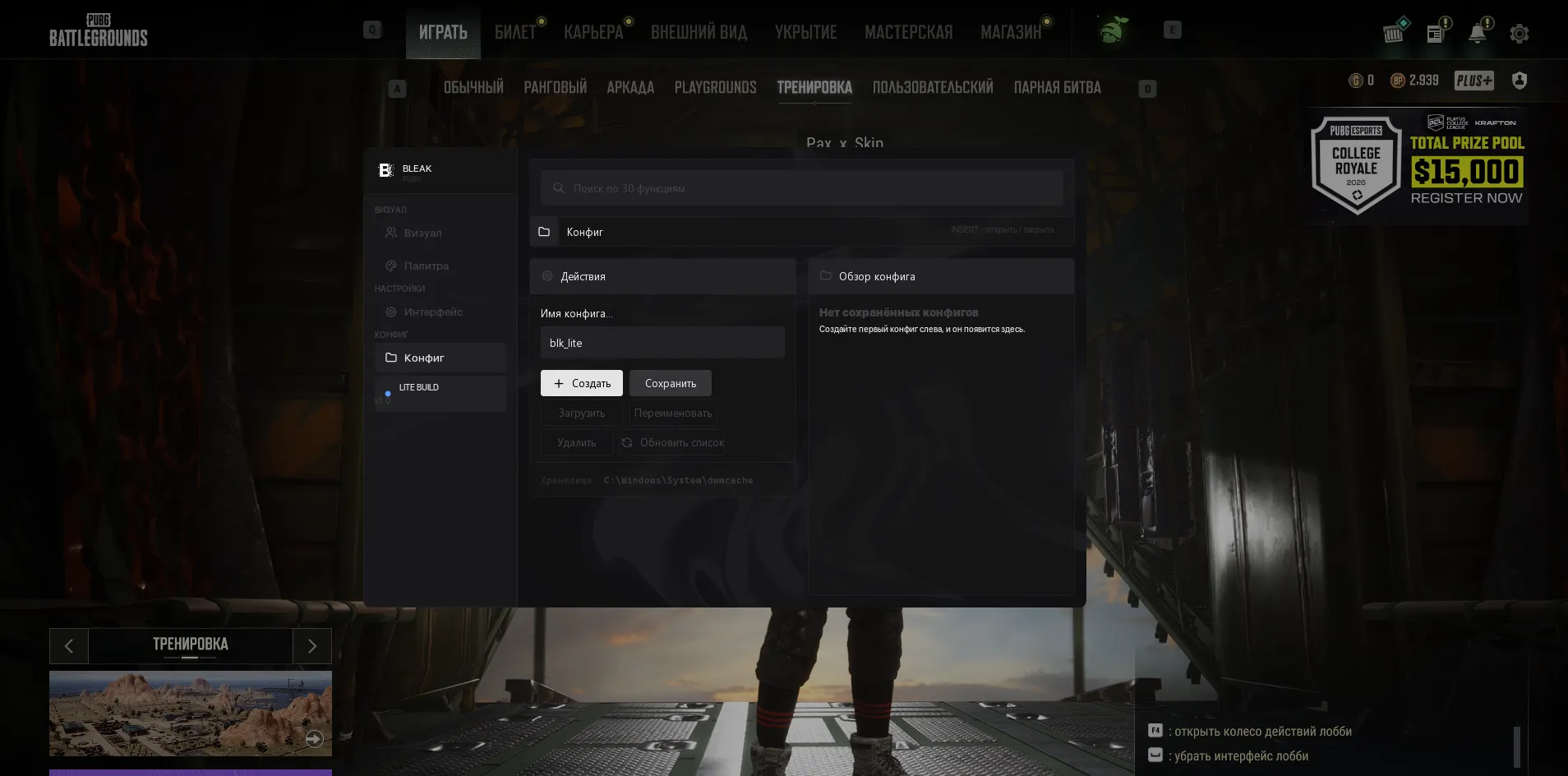
- Input Name - Enter a name for your new configuration file (the Lite build name is pre-filled by default - blk_lite).
- Create New - Create and save a new configuration file with the entered name.
- Save Selected - Overwrite the configuration with the typed name using the current menu settings.
- Load Selected - Load settings from the configuration file selected in the list (applies them to the current session).
- Rename - Rename an existing configuration file selected in the list.
- Delete - Permanently delete the selected configuration file.
- Refresh List - Force a refresh of the configuration list (useful if files were transferred manually).
- Config list - Shows all saved configurations; the applied one is marked with an ACTIVE badge, and a double click on a row instantly loads it. The last active configuration is picked up automatically on the next launch.
Other
- Color 2D Box - Color of the box around the enemy.
- Box (not visible) - Box color for the "not visible" rendering variant.
- Color Bone - Color of the skeleton lines.
- Skeleton (not visible) - Skeleton color for the "not visible" variant.
- Color Name - Player nickname color.
- Name (not visible) - Name color for the "not visible" variant.
- Color Distance - Distance text color.
System requirements
- Processor
- Intel / AMD
- Game client
- Steam
- Operating system
- Windows 10 / Windows 11
- Graphics card
- NVIDIA / AMD
- HWID spoofer
- Not included
Product screenshots
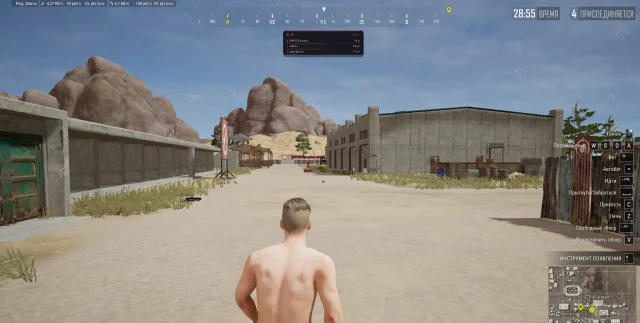
About Bleak PUBG Lite
What does Bleak PUBG Lite include, and what is excluded?
Lite provides player boxes, skeletons, a head marker, health, names, weapons, ammunition, distance, kills, damage and survival level. The source explicitly excludes Aimbot, Chams, loot and vehicle ESP, radar, off-screen arrows and a spectator list.
How do Lite visibility checks and danger warnings work?
Visibility checks assign separate colors to visible and hidden players, while knocked players have a dedicated color. The danger panel counts enemies within 200 meters and shows the five closest contacts. A live ESP preview helps configure the display.
Which setup and configuration options does Bleak PUBG Lite list?
The requirements specify Steam, Intel or AMD, NVIDIA or AMD graphics and Windows 10/11; a spoofer is not included. The source offers 1-, 7- and 30-day plans.
The menu includes English and Russian, searchable settings, font and color controls and an overlay FPS limit. Configurations can be created, renamed, deleted, saved and loaded; the last active configuration is restored on the next launch.
Choosing Bleak PUBG Lite
Bleak PUBG Lite concentrates on player information, including health, weapons and nearby-enemy details. This narrower scope distinguishes it from the broader Bleak PUBG package. Check the exact ESP controls and screenshots before choosing Lite, and verify the client and Windows requirements for the installation where you intend to use the license.