Bleak WarDogs
Bleak WarDogs combines configurable Aimbot, bullet prediction and recoil control with player, loot and vehicle ESP. It includes faction-based ally filters, danger warnings, Smart Loot, a 2D radar and saved configurations.
Bleak · Cheats
License plans
- 1 days — $3.00 USD · Available
- 7 days — $15.00 USD · Available
- 30 days — $30.00 USD · Available
Product features
Aimbot
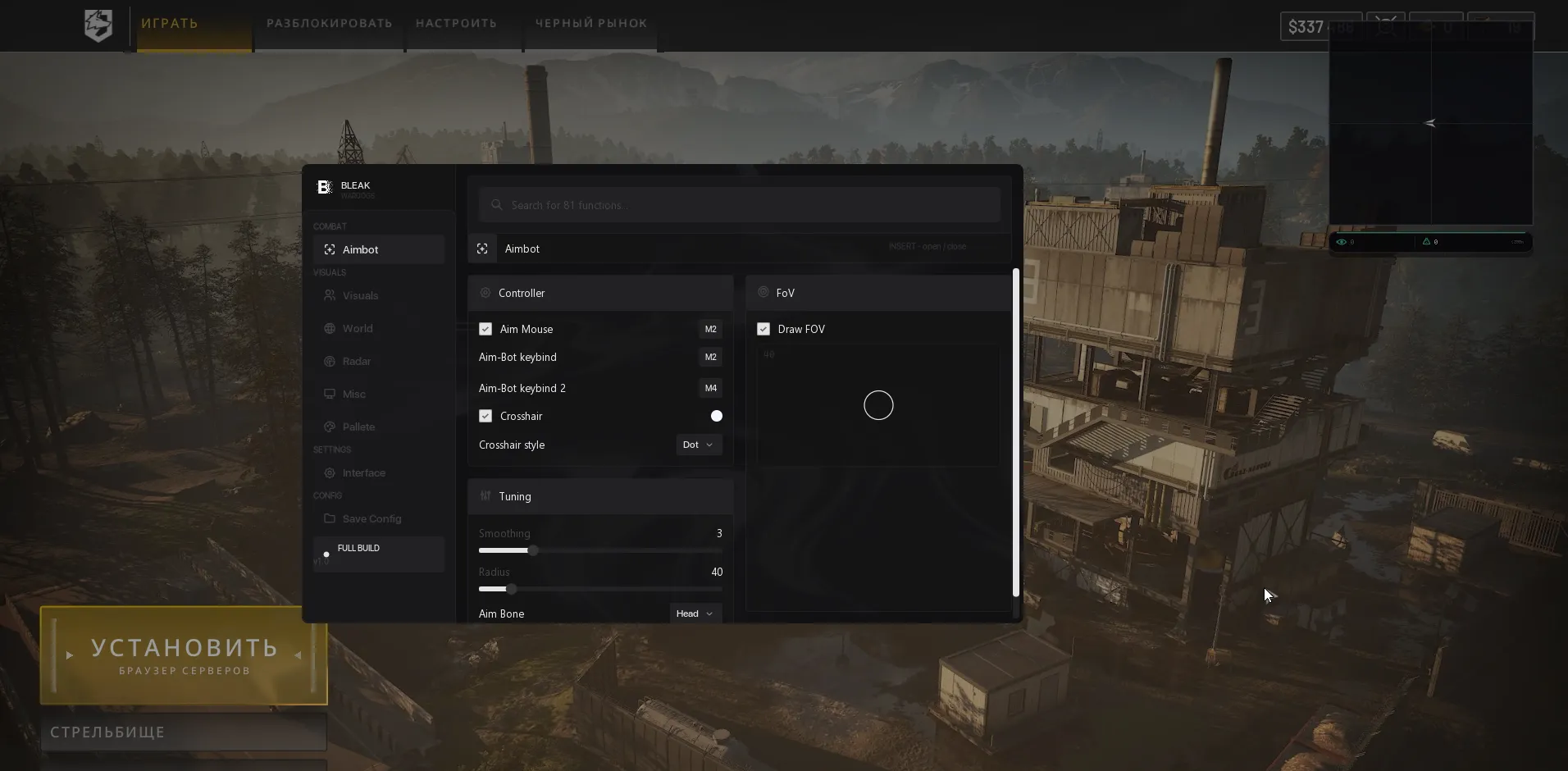
- Aim Mouse - Automatic aiming at enemies inside the FoV zone.
- Aim-Bot keybind - Primary activation key; aiming works while held.
- Aim-Bot keybind 2 - Additional activation key.
- Crosshair - Static crosshair with its own color.
- Crosshair style - Dot, Cross, T-Cross, Ring or Chevron.
- Smoothing - Aim smoothing strength (1-10).
- Radius - Aiming area radius in pixels (0-300).
- AimBone - Select Head, Neck or Chest.
- Draw FOV - Display the aiming zone.
- FOV Fill - Toggle the zone fill or keep only its outline.
- FOV shape - Circle, Triangle or Diamond.
- Color Fov - Zone color with a live preview of its radius and shape.
Visuals
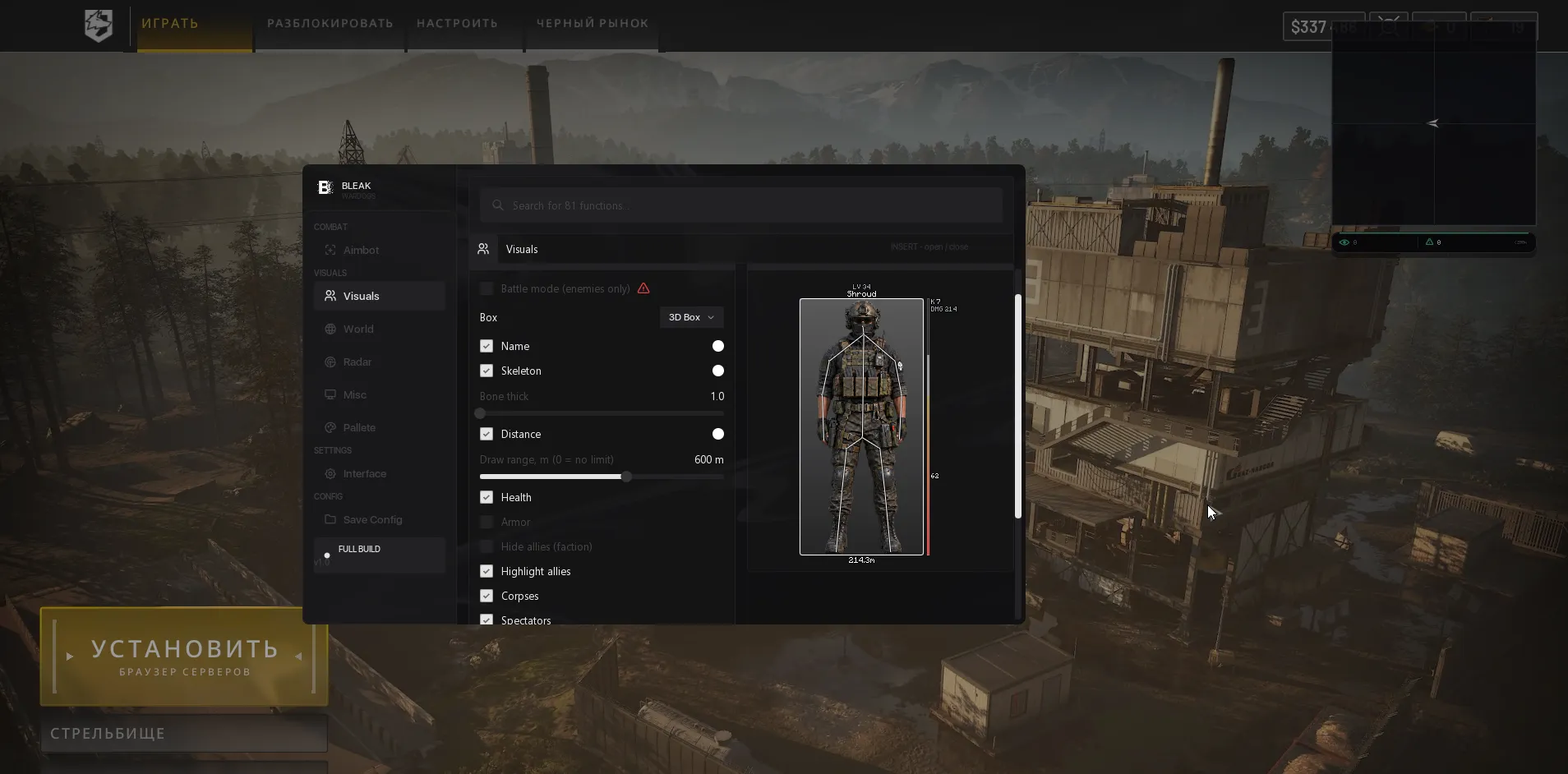
- Box Type - Full, Corner, 3D Box or None.
- Names - Player nicknames.
- Skeleton - Enemy skeleton display.
- Bone thick - Skeleton line thickness (1-5).
- Distance - Distance to the target in meters.
- Draw range - Player rendering range; 0 means unlimited. Distant targets use a simplified box without a skeleton.
- Health - Player health bar.
- Armor - Player armor bar.
- Hide allies (faction) - Hide faction mates: Lonestar, Valkyra or Manticore. Disable in the lobby or starting base to see everyone.
- Highlight allies - Dedicated ally color in ESP and radar.
- Corpses - Gray markers for dead players.
- Spectators - List of players watching you after death.
- Admin in lobby warn - Warning when an administrator or developer joins the lobby; checked every 2 seconds.
- Danger warning - Counter and list of nearby enemies.
- Off-screen arrows - Direction indicators for off-screen enemies.
- Arrows radius - Arrow placement radius (100-600).
- Aiming at me warn - Warning when an enemy aims directly at you.
- Preview - Live ESP preview with box, skeleton, name, distance and bars.
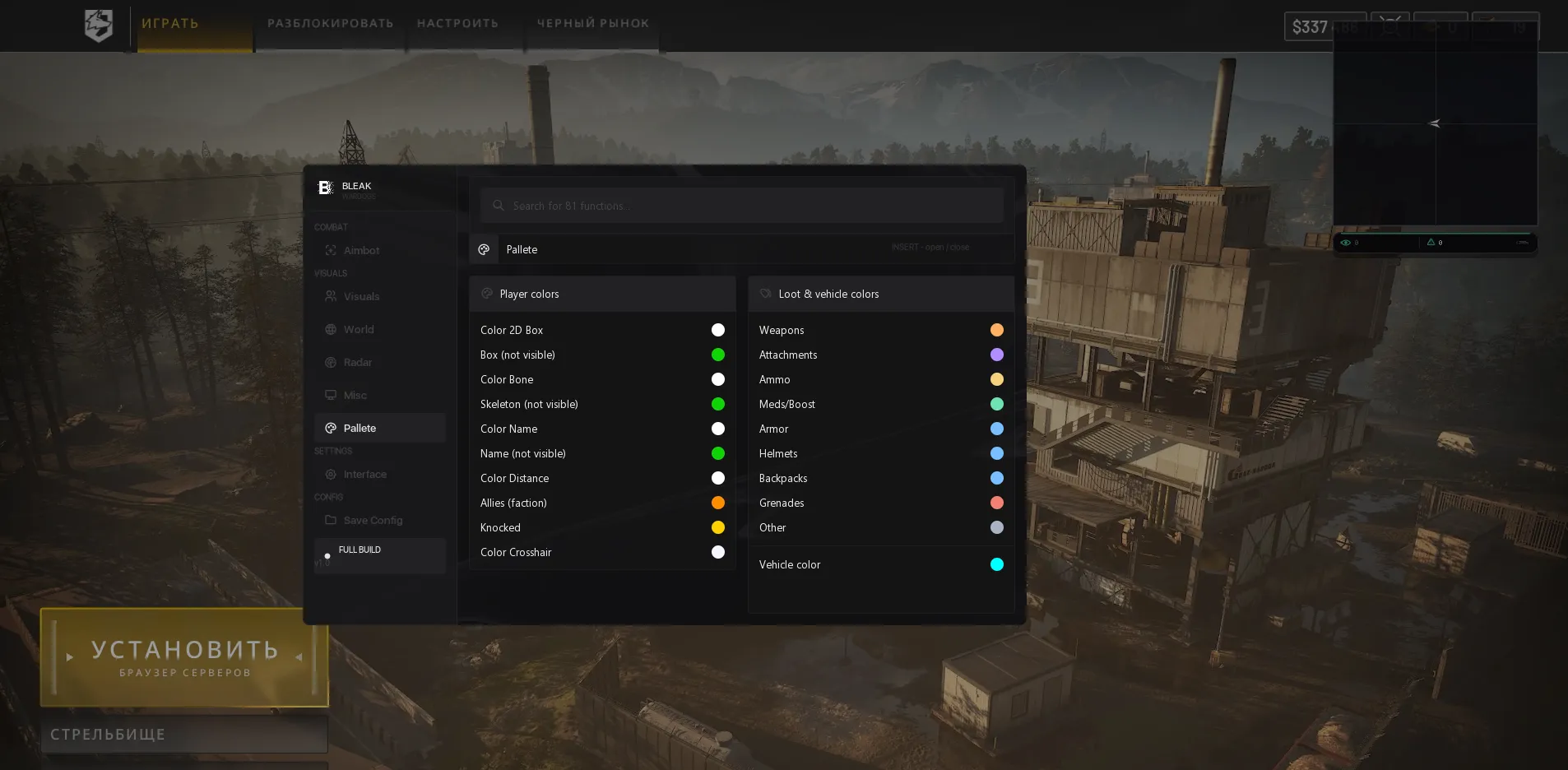
- Palette - Customize box, skeleton, name and distance colors, including not-visible variants; ally and knocked-player colors, crosshair, per-category loot and vehicle colors.
Loot
- Dropped Items - Loot ESP for items on the ground.
- Item Name / Item Distance / Item Marker - Item names, distances and markers.
- Loot filter - Weapons, Attachments, Ammo, Meds/Boost, Armor, Helmets, Backpacks, Grenades and Other.
- Smart loot filter - Checks backpack contents and hides excess meds or grenades.
- Items dist - Item rendering distance (0-1000m).
- Vehicles - Vehicle names and distances.
- Vehicle filters - Helicopters, Planes, Tanks, APC, Cars/trucks, Boats and Stationary weapons.
- Vehicles dist - Vehicle rendering distance (0-3000m).
Radar
- Radar 2D - 2D radar with chevron contacts and a camera-direction arrow.
- Only Players - Show only players.
- Items on radar - Show loot.
- Vehicles on radar - Show vehicles.
- Corpses on radar - Separate toggle for corpses.
- Radar Zoom - Adjust radar scaling.
- Radar size - Radar window size (200-700).
- X position / Y position - Precise screen positioning.
- Appearance - Live radar preview in the menu.
Misc
- No recoil (memory) - Zeroes the current weapon's ViewKick recoil while enabled; restores the original value when disabled.
- Bullet prediction - Accounts for target movement and bullet drop using the ballistics of the weapon currently held.
Other
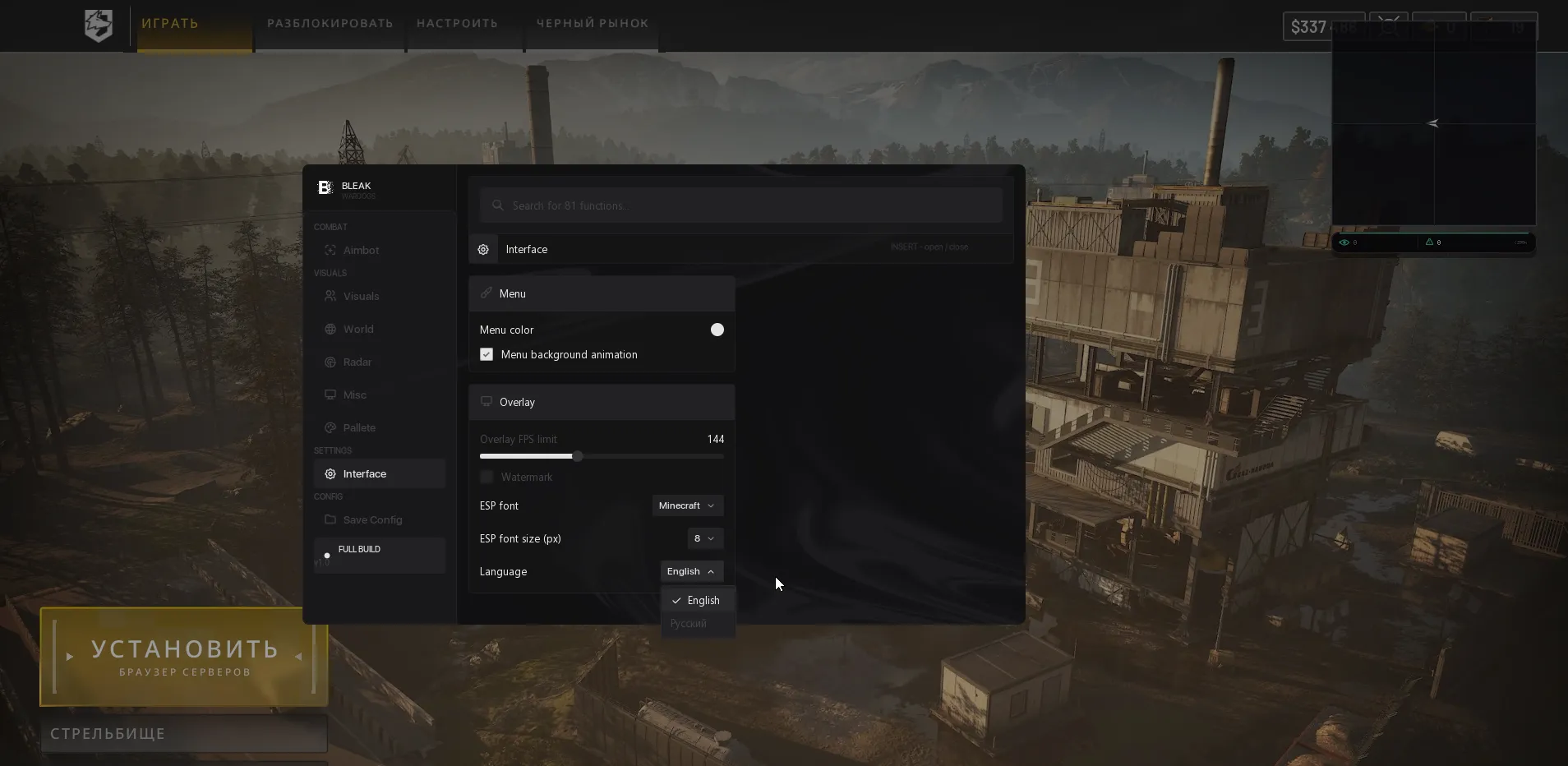
- Interface:
- Menu color - Menu accent color.
- Overlay FPS limit - Overlay frame-rate limit (0-360).
- Watermark - On-screen watermark.
- Language - English / Russian for all menu items and item names.
- Search - Search across all menu functions.
- INSERT - Open or close the menu.
- Config:
- Input Name - Name for a new configuration; build name is pre-filled.
- Create New - Create and save a configuration.
- Save Selected - Save current settings to the named configuration.
- Load Selected - Apply the selected configuration.
- Rename - Rename the selected configuration.
- Delete - Permanently delete the selected configuration.
- Refresh List - Refresh the configuration list.
- Config list - ACTIVE badge for the applied configuration; double-click to load. The last active configuration loads automatically on the next launch.
System requirements
- Processor
- Intel / AMD
- Memory (RAM)
- 16 GB RAM minimum
- Game client
- Steam
- Operating system
- Windows 10 / Windows 11 [21H2 - 25H2]
- Graphics card
- NVIDIA / AMD
- Game display mode
- Borderless / Windowed
Product screenshots
About Bleak WarDogs
What are Bleak WarDogs’ system requirements?
Bleak WarDogs requires at least 16 GB of RAM. Intel and AMD processors and NVIDIA and AMD graphics cards are supported. The page lists Windows 10 / Windows 11 with a version range of 21H2–25H2, and borderless or windowed game mode.
How can Aim Mouse and bullet prediction be configured?
Aim Mouse operates inside the FOV area and has primary and secondary activation keys. Settings include smoothing from 1 to 10, a radius of 0–300 pixels and head, neck or chest selection. FOV shapes include a circle, triangle and diamond. Bullet prediction accounts for target movement and bullet drop using the current weapon’s ballistics; No recoil is also included.
How do ESP and faction-based ally filters work?
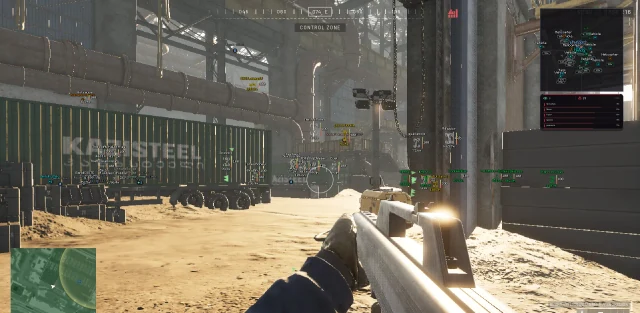
ESP shows boxes, names, skeletons, distance, health and armor. Lonestar, Valkyra or Manticore allies can be hidden or highlighted separately; hiding should be disabled in the lobby and at the starting base. Other options include off-screen arrows, nearby-enemy and aiming-at-you warnings, a spectator list and an administrator-in-lobby warning.
What does Smart Loot do, and which vehicles are displayed?
Smart Loot considers your backpack contents and hides excess medical kits or grenades. Loot categories include weapons, attachments, ammunition, healing items, armor, helmets and backpacks, with item display range adjustable up to 1000 m. Vehicles can be displayed up to 3000 m away, with filters for helicopters, planes, tanks, APCs, vehicles, boats and stationary guns.
How do you configure the radar and save Bleak WarDogs settings?
The 2D radar displays players, loot, vehicles and corpses with separate toggles. Zoom, window size from 200 to 700, and X/Y position are adjustable. INSERT opens the menu, which supports Russian, English and feature search. Configurations can be created, renamed, saved and loaded; the last active configuration is applied on the next launch.
How do you receive Bleak WarDogs and contact support?
The source describes a key, software or loader and instructions. VEIL purchasing, fulfilment, payment and support details for Bleak WarDogs are pending integration. The source seller's delivery times, support hours and fee terms are not confirmed VEIL services.
Choosing Bleak WarDogs
Bleak WarDogs lists predictive aiming, faction filters, player and vehicle ESP, Smart Loot and radar. When comparing this edition, look at how faction and loot settings affect the information displayed as well as the aiming controls. The published requirements and current developer status define whether the offered license is suitable for your setup.